Drop a folder
One image or several hundred — just drag them in.
Desktop app for Windows and macOS
Compress, convert, resize, crop, watermark, and generate pixel art — plus AI background removal, watermark cleanup, and upscaling. Nine professional tools in one app, built to take hundreds of images from raw to ready in a single run.
For Windows 10/11 and macOS 14+v1.0.28
01 / WORKFLOW
Drag in a folder, choose your settings a single time, and every image comes out to the same spec. No opening files one by one, no waiting for uploads, no per-image fees.
One image or several hundred — just drag them in.
Choose the format, size, and quality once for the whole batch.
Everything finishes on your own computer, ready to use.
02 / PERFORMANCE
PicSmaller uses your own computer and processes independent files in parallel. The result is a production workflow that stays fast, private, and predictable as the queue grows.
Multiple images move through the queue together instead of waiting for a remote server.
Activated batches have no image-count cap in the app; practical capacity depends on your computer and source files.
Standardize web, camera, design, archive, and document outputs without switching tools.
After activation and any one-time AI component download, normal processing stays available offline.
03 / CAPABILITIES
Each tool has the controls its job actually needs, while the file queue, preview, and save workflow stay familiar. Build one batch, inspect the result, then continue into the next operation when needed.
Use format-aware presets, lossless modes, metadata control, or a target file size. Animated GIF and WebP playback stays intact.
Resize by width, height, long or short edge, percentage, ratio, or exact dimensions with crop, contain, and stretch fitting.
Crop by exact pixels or ratio, choose any of nine anchors, or let subject-aware positioning find the useful area in each image.
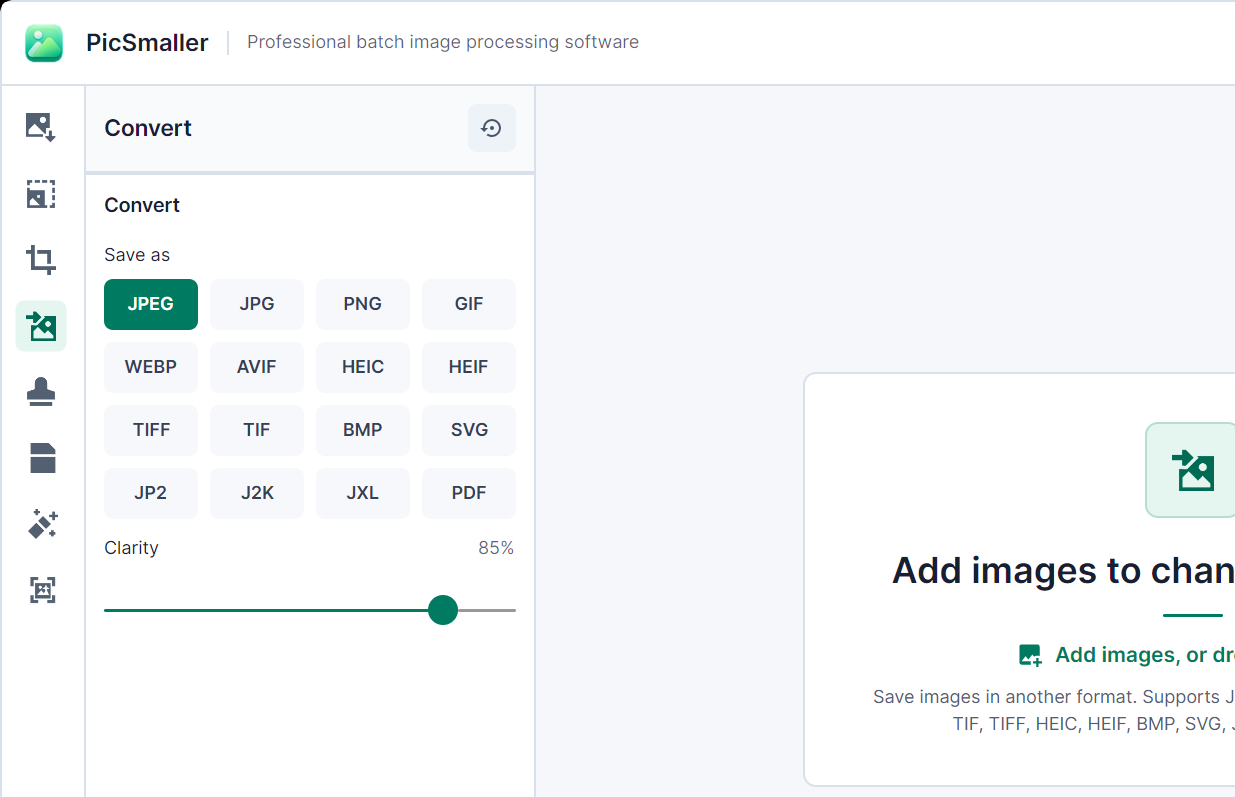
Convert to JPEG, JPG, PNG, GIF, WebP, AVIF, HEIC, HEIF, TIFF, TIF, BMP, SVG, JP2, J2K, JXL, or PDF with destination-specific controls.
Control pixel size, 4–256 colors, palettes, dithering, outlines, transparency, and animation frames across a whole set.
Apply text or image marks with consistent size, opacity, position, and tiled spacing across mixed image dimensions.
Choose transparent or solid-color output and switch between standard and high-quality local models for the batch.
Detect visible marks and reconstruct authorized images with conservative, balanced, or strong cleanup ranges.
Increase width and height by 2× or 4× with standard or detailed reconstruction, then inspect the result at full size.
04 / USE CASES
The same compact workflow adapts to different teams: add the source folder, choose the output rule, and review a consistent batch.
Remove product backgrounds, standardize dimensions, compress for faster pages, and add brand marks across an entire catalog.
Learn moreConvert mixed client assets, prepare social variants, enlarge small references, and keep sensitive work on the studio machine.
Learn moreReduce email attachments, turn scans into consistent formats, process PDFs, and finish recurring folders without specialist software.
Learn more05 / LOCAL FIRST
Processing runs on your own hardware, so there are no queues, no file-size caps, and no private client work sitting on someone else's server. Once activated, it keeps working offline.
06 / FAQ
No. Every image is processed on your own computer. The network is used only for services such as downloads, licensing, account actions, and updates — never to send your files anywhere.
PicSmaller uses your computer's own hardware and processes independent images in parallel, so there is no upload wait or remote queue. Actual speed depends on image size, format, selected tool, and your computer.
Windows x64 on supported Windows 10 editions and Windows 11, plus Intel and Apple Silicon Macs running macOS 14 or newer. One purchase covers both platforms.
Yes. After a one-time online activation, your licensed tools keep working without an internet connection for the full offline period of your license.
Yes. A 7-day full-feature trial is available before purchase. Afterwards, core tools remain free for up to 5 images per batch, and activating a license restores the complete workflow.
Choose a plan on the Pricing page and complete the secure checkout. You can purchase without an account: enter an email you can access and we will send the activation code and complete order details there as soon as payment succeeds.
Use every tool with unlimited batches for 7 days. Review the output locally, then choose a license only if PicSmaller saves real time in your workflow.